

How verification works
On this page
You never have to touch the cryptography, the SDK and webhooks hide it. But the model is worth a minute, especially for reasoning about privacy. For the full cryptographic detail, see the Self Pass protocol docs.
The idea in one line
The user’s phone proves a fact about their government ID (“over 18”, “not sanctioned”), and Self checks that proof. You get the fact, never the underlying data.
The flow
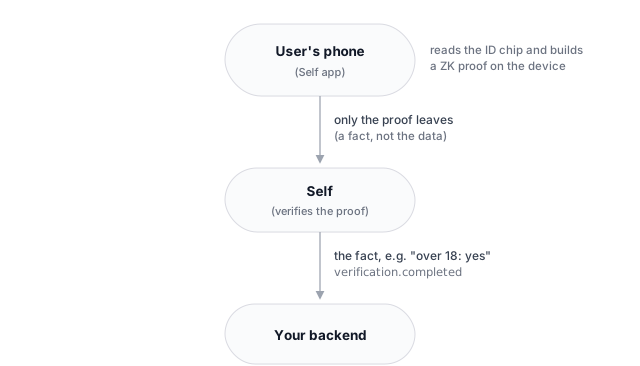
- The user reads their ID chip with the Self app, once. The credential then lives on their device.
- For each verification, the app builds a fresh zero-knowledge proof of exactly what your flow asks, nothing more.
- Self verifies the proof and sends your backend the result. The raw ID data never leaves the phone.
What you get vs. what you never see
| You receive | You never see |
|---|---|
| A pass/fail outcome for the predicates your flow checks (age, OFAC, country) | Date of birth |
| Any explicit reveal you asked for | Name |
| A stable per-user nullifier for uniqueness (scoped to your org) | Passport or document number |
| The document type used | The chip data or biometrics |
| A verification ID for your audit log | Anything you didn’t ask for |
A valid status means every predicate your flow asked for passed; the webhook’s proof_attributes echoes which predicates were checked (it is the flow’s predicate config, not the underlying values). This is the whole privacy guarantee: the proof attests to exactly what your flow asks, and nothing else leaks. See Disclosures.
One account per person (nullifiers)
Need to stop duplicates? Each verification carries a nullifier: a value derived from the document that is the same for the same person within your organization (so you can catch repeats, including across different workspaces and flows in the same org), reveals nothing about who they are, and is different and unlinkable in every other organization (so users can’t be tracked across services). The nullifier is scoped to your organization, not to an individual workspace.
What your users see
The verificationUrl you get from sessions.create(...) opens Self’s hosted verification page. You don’t build or style it, but it’s worth knowing what your users experience:
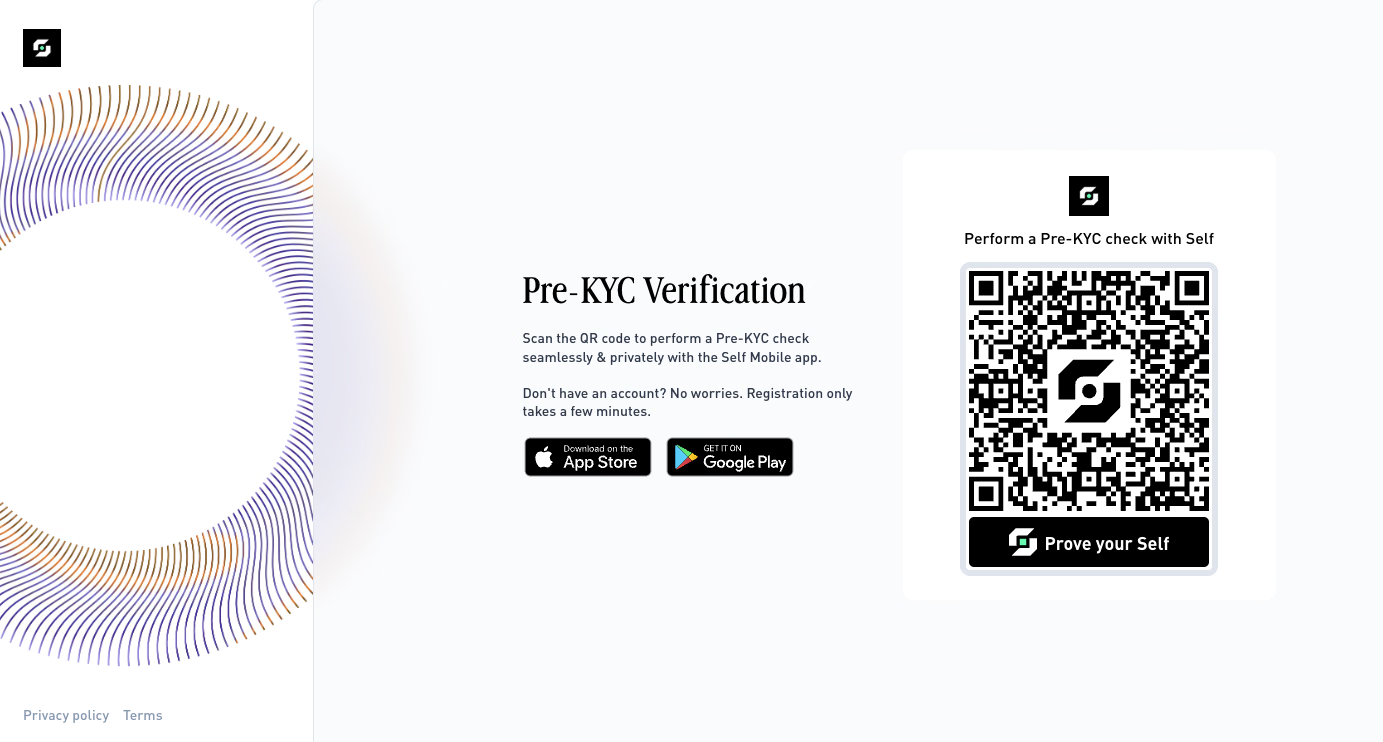
- Branding. The page heading adapts to the workspace (for example “Age Verification — Verify your age with Self”, “Proof of Humanity Verification”). Your organization’s icon (set under Settings → General) appears in the QR code and is carried into the Self app together with your configuration’s name, so the experience feels like yours.
- Desktop vs. mobile. On desktop the page shows a QR code to scan with the Self app. On mobile it shows an Open Self app button (a deeplink), plus the iOS/Android download links for users who don’t have the app yet.
- Returning the user. After verifying in the app, the user is sent back to the web flow and the page polls for the result, then redirects. If you passed
successUrl/failureUrltosessions.create(...), the user lands there (with a?userId=<externalUuid>query parameter appended); otherwise the page shows a built-in success or failure result screen. - On-chain flows. For an on-chain flow, the page first asks the user to connect the wallet that will receive their soulbound token and sign a gas-free message, then shows the QR code as usual.
Treat the redirect as a UX convenience, not a trust signal. The authoritative result is the signed verification.completed webhook, verify that before granting access.
Going deeper
The circuits, the commitment scheme, the certificate trees, and the on-chain verification hub are documented in the legacy Self Pass section:
Thanks. What went wrong?
Thanks for your feedback!