

Activity log
On this page
The Activity log tab on a workspace shows the verifications that ran against its active configuration. It’s read-only, fed live from your verification records.
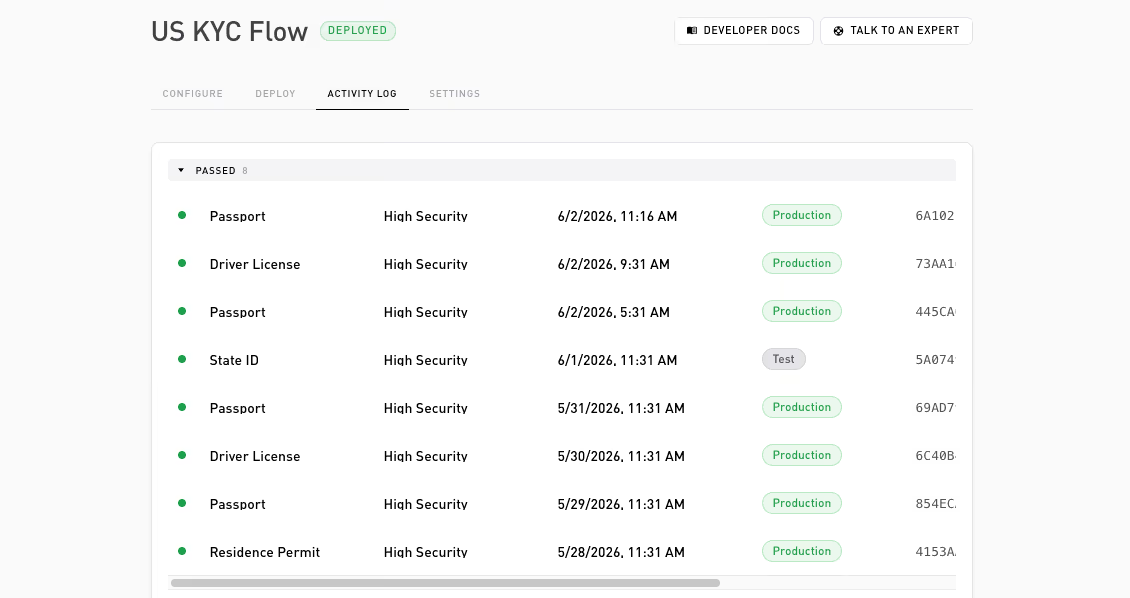
It’s empty until the configuration is deployed and traffic starts arriving. The log shows up to the most recent 200 verifications.
What you see
Finished verifications, grouped into two collapsible sections, Passed and Failed. Pending verifications are not shown; only completed ones appear. A valid result lands in Passed; invalid, error, and expired land in Failed.
Each row shows, in order:
| Field | Meaning |
|---|---|
| Document | The document type from the verification’s metadata (e.g. passport); shows Document when none is reported. |
| Security level | The tier of the document actually presented: High security (chip-backed) or Standard. Shows a dash when the proof never verified (an error or expired row). |
| Time | When the verification finished. |
| Environment | A Test or Production badge. |
| ID | The verification’s identifier. |
For an on-chain flow, rows also show the mint transaction as a shortened hash linked to the block explorer (a dash for verifications that never reached a transaction). For a Custom Config, rows omit the document and security-level cells, since under org custody Self retains neither. Click a row to open a popover with the proof-request details.
What you won’t see
- Personal data the user did not disclose. If your flow asks for an age threshold, you see the pass or fail result, not the date of birth.
- The raw document or proof. Self verifies it; you never see the underlying scan.
Thanks — what went wrong?
Thanks for your feedback!