

API keys
On this page
API keys authenticate the SDK. They’re org-scoped (not tied to a workspace), and you generate them on the Developer → API keys page.
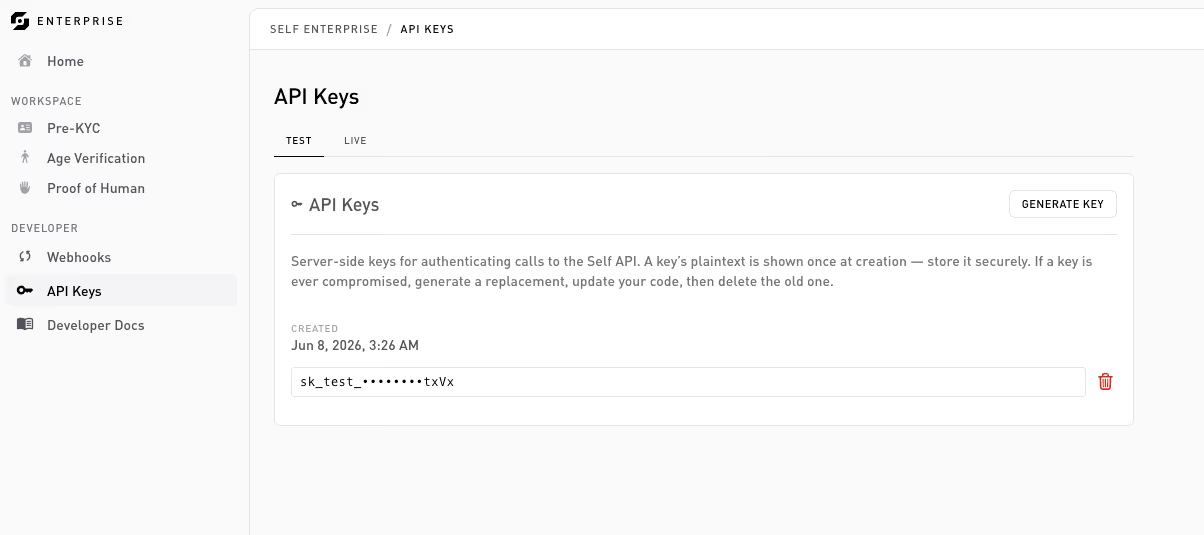
Generating a key
On the Developer → API keys page:
- Pick the environment with the Test | Live tab strip. The list and the key you generate are scoped to the selected tab.
- Click Generate key (top right) and confirm.
The key is revealed once, right after creation. Copy it immediately into your secret manager (GCP Secret Manager, AWS Secrets Manager, 1Password, and so on). Afterwards only a masked form (the last few characters) is shown, you can’t retrieve the full key again.
Key shape
sk_test_…
sk_live_…
The prefix encodes the environment and is part of the credential format. A test key only creates sessions against test configurations, a live key only against live ones, with no cross-environment access. Detecting sk_live_ in commits is a useful pre-push hook.
Using a key
Hand it to the Enterprise SDK at initialization:
import { SelfClient } from '@selfxyz/enterprise-sdk';

const self = new SelfClient({ apiKey: process.env.SELF_API_KEY! });
The SDK uses it on every call to sessions.create(...) and sessions.get(...). See the SDK reference.
Revocation
Revoke any key from the same API keys page. There’s no undo, generate a new one if needed. The page lists your existing keys by their last few characters and when they were created.
Security notes
- Don’t put keys in front-end code. They authorize session creation, which costs money.
- Don’t commit keys. Use environment variables and secret managers.
- If a service’s key leaks, you only have to rotate that one.
Thanks — what went wrong?
Thanks for your feedback!