

Dashboard overview
On this page
The dashboard is where you configure workspaces, manage keys, watch traffic, and pay for what you use. This page is a map.
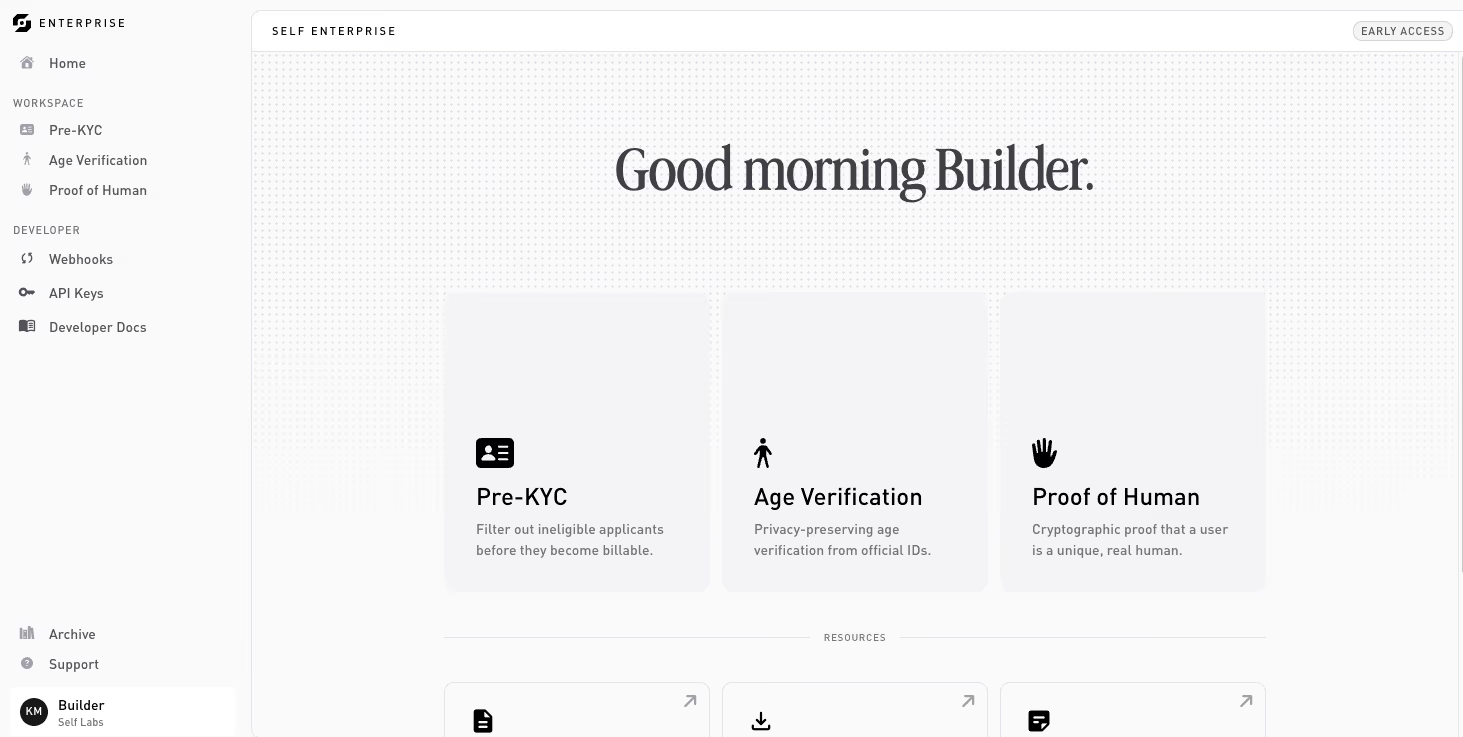
Home
The landing surface. It greets you, surfaces a low-credit alert when your balance runs low, and shows a card for each of the core workspaces (Pre-KYC, Age Verification, Proof of Human, Sovereign) alongside a Resources row: Developer Docs, Mobile SDK, and Status Page.
Workspaces
Each workspace has its own page and holds one active configuration at a time (Custom Config is the exception: its page lists many active configurations). The page splits into tabs:
- Configure: the verification mode, disclosure rules, and (for Pre-KYC) additional data.
- Test and Live: the per-environment integration tabs. Each shows the configuration’s
flowId, SDK snippets, and a link to your API keys; for on-chain configurations, also that environment’s contract card. They unlock once the configuration is deployed. - Activity log: verifications and errors over time.
- Configuration settings: archive the configuration, plus a usage and credit snapshot.
Archive
Where a workspace’s previous configurations go once you replace them. Archived configurations have their proof requests deactivated, but their activity log stays viewable for audit.
Developer
Org-scoped developer surfaces, in the sidebar under Developer:
- Webhooks: register HTTPS endpoints and manage signing secrets.
- API keys: generate and revoke the
sk_test_…/sk_live_…keys your backend uses.
Settings
Org-wide configuration, organized into tabs:
- General: organization name and icon, your profile, theme, sign out, and leaving the organization.
- Usage & Billing: plan, credit balance, and usage.
- Audit: audit streaming is coming soon; this tab shows its status until it ships.
- People: members and invites. Visible only to owners and admins.
- System Status: live service status.
Thanks — what went wrong?
Thanks for your feedback!