

Configure a workspace
On this page
A configuration always starts by choosing one of the five workspaces. The workspace decides which rules you can set: the matrix under Disclosure rules shows exactly which rules each one carries, and the workspaces overview covers what each workspace verifies and when to use it. You then build the configuration in the Configure tab.
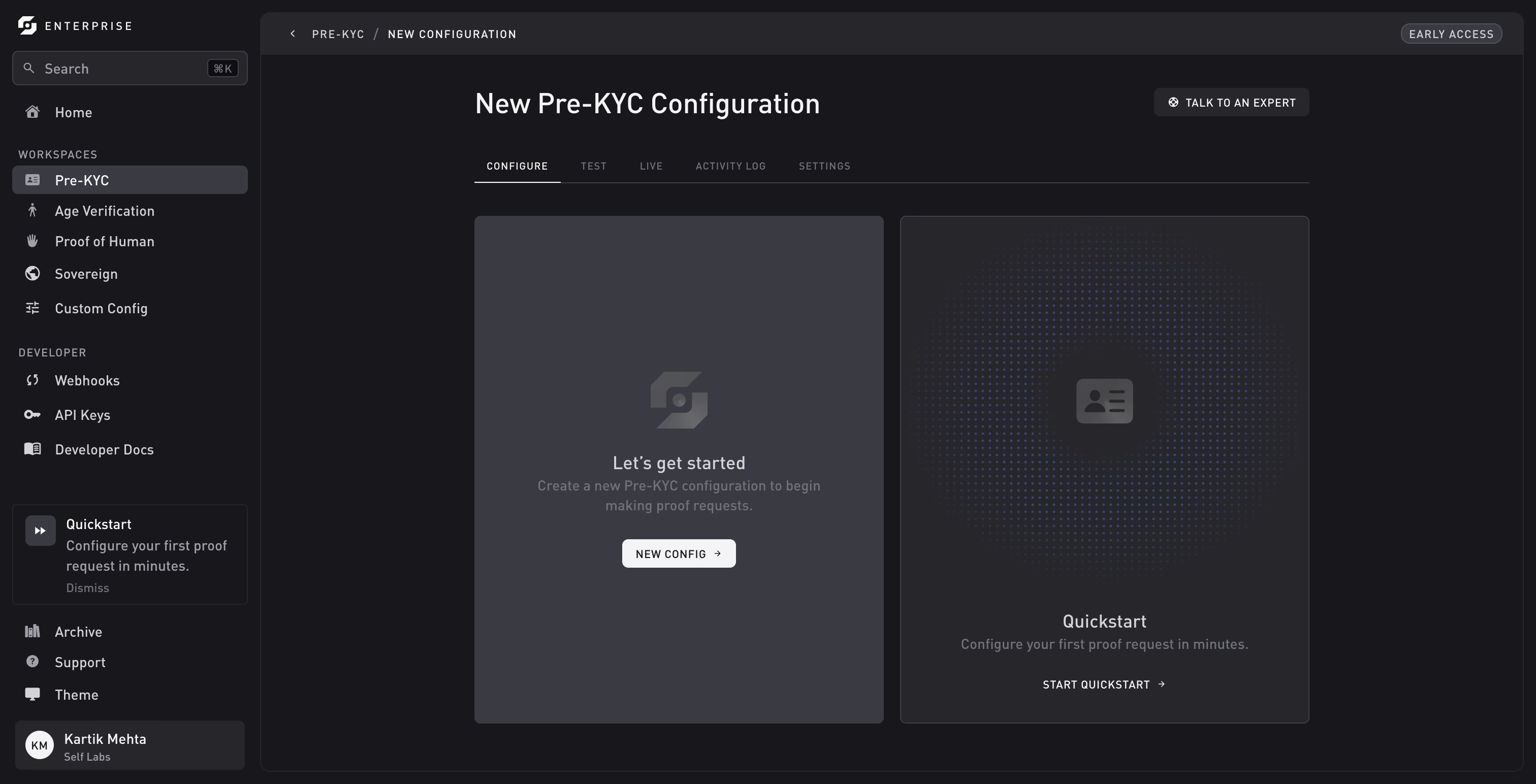
The Configure tab
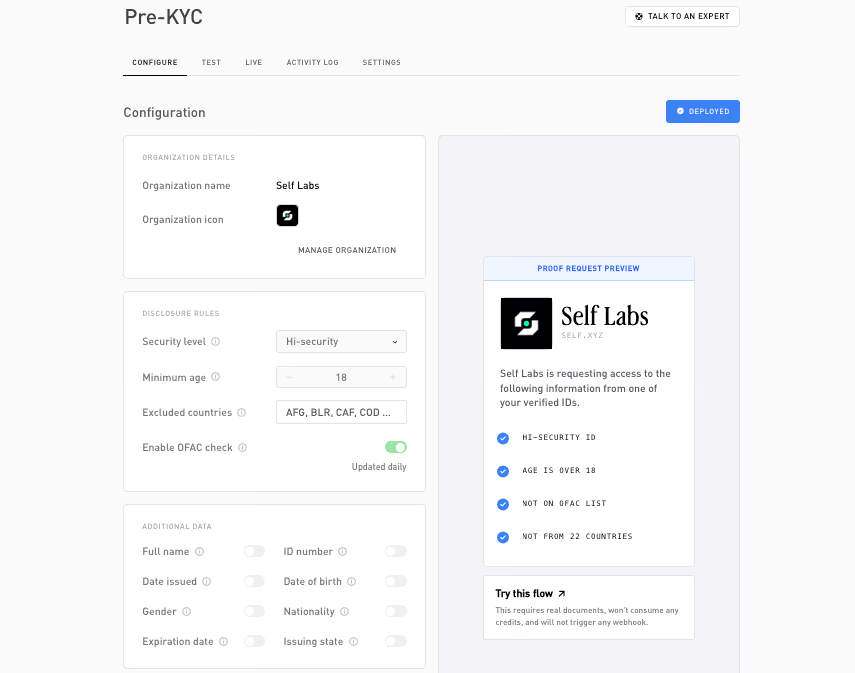
The Configure tab has its cards on the left. On the right, a live proof-request preview shows what the user will see, and a credit usage callout shows what each verification will cost. Once the configuration is deployed, a Try this flow callout also appears.
Organization details
This card is read-only. It shows your Organization name and Organization icon (the icon shown on the proof request and the hosted verification page) with a Manage organization link into Settings → General. The configuration name is set inline in the page title at the top of the Configure tab, not in this card.
Verification mode
Every workspace offers two verification modes:
- Backend (the default): proofs are verified by Self’s servers; results arrive through webhooks and the API.
- On-chain: proofs are verified on Celo, and each verified user receives a soulbound token (SBT). Deploying also deploys the flow’s contracts to both Celo networks.
Like every other setting, the mode is frozen at deploy. Keep Backend unless other smart contracts need to read your verification results. Custom Config is backend-only: its results exist solely as webhook deliveries, which the chain can’t produce.
Disclosure rules
The predicates the user must satisfy. The user proves each one without revealing the underlying value. Which rules a configuration can carry depends on its workspace:
| Rule | Pre-KYC | Age Verification | Proof of Human | Sovereign | Custom Config |
|---|---|---|---|---|---|
| Security level | ✓ | ✓ | ✓ | ✓ | ✓ |
| OFAC check | ✓ | ✓ | ✓ | ✕ | ✓ |
| Minimum age | ✓ | ✓ | ✕ | ✕ | ✕ |
| Excluded countries | ✓ | ✕ | ✕ | ✕ | ✕ |
| Included countries | ✓ optional | ✕ | ✕ | ✓ required | ✕ |
| Data reveals | ✓ optional | ✕ | ✕ | ✕ | ✓ required |
What each rule means:
- Security level: Standard verifies the document is genuine; Hi-security (the default) also verifies the user physically scanned the document’s chip.
- OFAC check (on by default): match against the US Treasury OFAC sanctions list, which Self keeps updated daily. Only the pass or fail result is disclosed.
- Minimum age: the age threshold (13–110, default 18 for Pre-KYC and 21 for Age Verification). Only the pass or fail result is disclosed, never the date of birth.
- Excluded countries: documents issued by a country on this list fail. Only the pass or fail result is disclosed, not the user’s country.
- Included countries: an allowlist, only holders from a country on this list pass. In Pre-KYC it’s mutually exclusive with the excluded list (setting one clears and disables the other); in Sovereign it’s the workspace’s core rule and can’t be empty. The list is enforced against the holder’s disclosed nationality, so it forces the Nationality reveal on and discloses the user’s nationality to you.
Country lists use ISO 3166-1 alpha-3 codes, and the picker offers region presets (EU, APAC, LATAM, GCC) that add or remove a whole bloc at once. On-chain configurations cap the lists at 40 excluded or 41 included countries; the picker enforces this as you select.
Additional data (Pre-KYC, Custom Config)
For Pre-KYC and Custom Config, beyond the pass or fail rules, you can ask the user to disclose specific document fields. Each is an explicit reveal, off by default, request only what you need:
Full name, ID number, Date of birth, Gender, Nationality, Expiration date, Issuing state.
In Pre-KYC, when an Included countries rule is set, the Nationality toggle is forced on and locked, because the allowlist is checked against the disclosed nationality. In Custom Config the disclosures are the configuration: at least one field must be on, and a custody banner above the cards reminds you that the disclosed values go straight to your webhook and are never stored by Self.
Deploy
Click Deploy to take the configuration live; the dashboard validates it first (Reset parameters clears your edits). Once deployed, the Test and Live tabs show its flowId and SDK snippets.
A deployed configuration is immutable: to change anything, archive it and create a new one. In-flight sessions keep the version they were created against, so archiving never breaks an open session.
Two workspace-specific notes:
- On-chain: the status pill tracks the contract deploys (Deploying → Deployed), and a failed deploy can be retried from its environment tab. See Deploy status.
- Custom Config: Deploy stays disabled until your organization has a live webhook endpoint, since results are delivered only there. It’s also the one workspace that holds many active configurations, shown as a list; each row has an Activity log shortcut and a gear to the config’s Settings tab, where renaming and archiving live.
Related
- Disclosures: what each rule and reveal proves.
- Supported documents: which documents work where.
- API keys: generate the keys your backend uses.
Thanks. What went wrong?
Thanks for your feedback!